| Brand | Redmi |
| Model | TWSEJ05LS |
| Model Name | Redmi Earbuds S |
| Item Weight | 36.3 g |
| Product Dimensions | 2.7 x 1.6 x 2.2 cm |
| Batteries: | Lithium ion batteries required. (included) |
| Item model number | TWSEJ05LS |
| Compatible Devices | Android , iOS, Windows devices |
| Additional Features | Ultralight weight earbuds, micro USB charging, Easy to carry, Low latency mode, Bluetooth 5.0, Easy button controls, works with voice assistant, DSP Environmental noise cancellation |
| Included Components | Bluetooth earphones 2U, User Manual 1U, Charging case 1U, Eartips 6U( 3 pairs S/M/L) |
| Headphones Form Factor | In Ear |
| Voltage | 0.20 Volts |
| Batteries Included | Yes |
| Batteries Required | Yes |
| Battery Cell Composition | Lithium Ion |
| Battery Power | 300 |
| Connector Type | Wireless |
| Supported Standards | HFP/A2DP/HSP/AVRCP |
| | |
Introducing the all new Redmi Earbuds S, a true wireless experience designed for your comfort & give you a truly cordless freedom. Delivering a very strong battery life of 12 hrs that gives you uninterrupted freedom to enjoy your music & pick calls.


|
|
|
|---|
| The all-new Redmi Earbuds S is a true wireless experience designed for your comfort. | Its compact design helps you stay on the go with no hassles. Incredibly lightweight, you’ll forget they are there. | A perfect companion for your busy schedules, the Redmi Earbuds S delivers 12 hours of total playback time with multiple additional charges in the case and up to 4 hours of playback in a single go. |
|
|
|
|---|
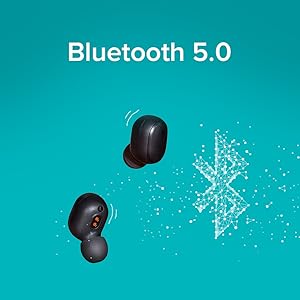
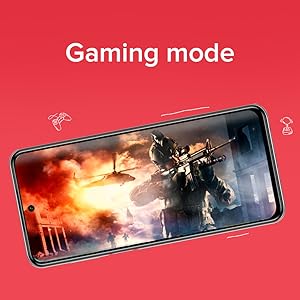
| Bluetooth 5.0 allows for seamless simultaneous connectivity with both the earbuds delivering stable connection and lower latency. | The Redmi Earbuds S comes with the gaming mode which reduces the latency to 122ms and gives you pro performance for your pro gaming. | Working out at home? No worries, the Redmi Earbuds S has got you covered with its IPX4 sweat and splash-proof protection. |
|
|
|
|---|
| Click to do it all. Activate voice assistant, end and switch conversations, play and pause music, or switch to game mode. | Redmi Earbuds S comes with a class-leading large dynamic sound driver customized for the Indian user to deliver punchier sound and better bass experience The DSP Environmental Noise Cancellation technology enhances your call experience by suppressing ambient noise to make your voice clearer on the receiving side. | The Redmi Earbuds Supports voice assistance on both Android and iOS devices. Now give voice commands to your phone without taking it out |
Frequently Asked Questions (FAQ)
What are devices supported by Redmi Earbuds S?
Redmi Earbuds S supports all Android, iOS, Mac OS and Windows based devices with Bluetooth compatibility.
How do I charge these earbuds?
When the earbuds are placed in the charging case, they will automatically start charging and it takes approximately 1.5 hours for a full charge.
How to charge the charging case?
To charge the case, connect it to a power source through a micro USB cable. The indicator from the case will blink red while charging and turns off when fully charged. Please note that it takes approximately 2 hours for a full charge.
How to pair the Redmi Earbuds S with a device?
Remove both earbuds from the charging case simultaneously, and wait for 2–3 seconds for the earbuds to automatically connect with each other. Make sure the Bluetooth is enabled on your device. When the indicator of the left or right earbud slowly blinks white, search for "Redmi Earbuds S" on your device.
How do I switch on/switch off the earbuds?
Once you open the charging case, the earbuds will automatically turn on. To disconnect the earbuds, place the earbuds back into the charging case and close the lid this will put the earbuds to sleep mode automatically.
What button functions are available on the Redmi Earbuds S?
- Answer/End calls: Gently press the multi-function button to answer/ end calls.
- Reject a call: Press and hold the button for 1 second to reject a call.
- Play/Pause Music: Press the multi-function button to play/pause the music while using the earbuds.
- Turn on voice assistant: Double press the multi-function button to enable the voice assistant while using the earbuds.
- Answer a Second Call/Switch between calls: Press the multi-function button to answer the second incoming call during an ongoing call. Double press the multi-function button to switch between the two calls.
- Switch between Earbuds and Device: During a call, press and hold the multi-function button for 1 second to switch between the earbuds and your phone.
- Mute/Unmute: Double press the multi-function button to mute/ unmute the earbuds during an ongoing call.
- Enable/Disable Game Mode: When playing games with your phone and earbuds being connected, press the multi-function button three times to enable or disable the game mode. In the game mode, the audio delay and latency can be effectively reduced.









 infotechcompany@yahoo.com.hk